tooltip (cfg.point.chart)
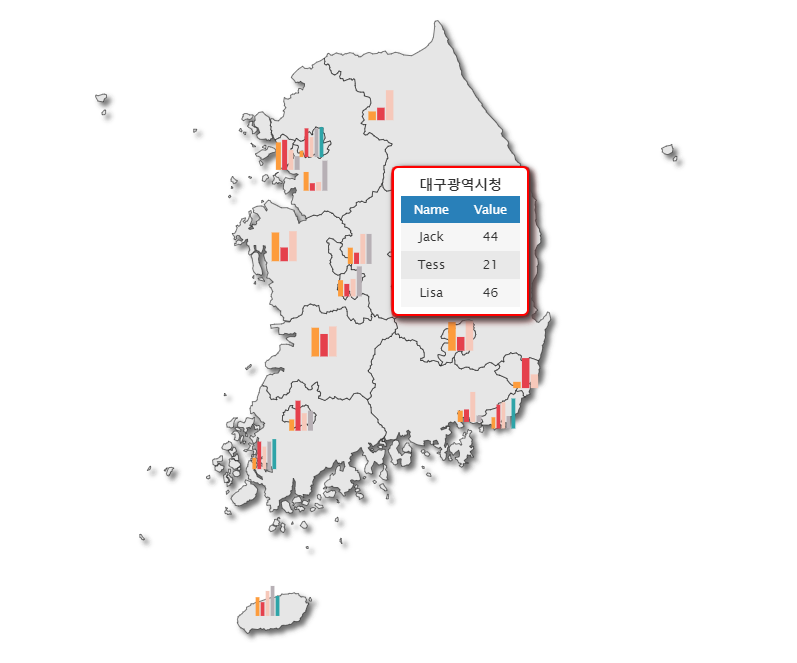
point 데이터를 이용해서 생성한 차트 툴팁 관련 설정입니다.
참고 : point.심볼 툴팁에는 영향을 끼치지 않습니다.
Type
object
Options
| Value |
Description |
object |
차트 툴팁 관련 설정 |
style Info
| name |
type |
required(Default) |
description |
enable |
boolean |
선택(true) |
툴팁 사용 여부 |
style |
object |
선택 |
툴팁 스타일 설정 |
header |
object |
선택 |
툴팁의 헤더 문구 설정 |
position |
string |
선택 |
툴팁 출력 위치 기준 설정 |
positionAlign |
string |
선택 |
툴팁 상하좌우 출력 위치 지정 |
tooltip.style Info
| name |
type |
required(Default) |
description |
border |
object |
선택 |
툴팁 테두리 설정 |
tooltip.style.border Info
| name |
type |
required(Default) |
description |
color |
number |
선택 |
테두리 색상 설정 |
tooltip.header Info
| name |
type |
required(Default) |
description |
name |
string |
선택("Name") |
헤더의 항목명 문구 |
value |
string |
선택("Value") |
헤더의 항목값 문구 |
tooltip.position Info
| name |
type |
required(Default) |
description |
element |
string |
선택(Default) |
point.chart 요소 위치를 기준으로 툴팁 출력 |
label |
string |
선택 |
point.chart.label 위치를 기준으로 툴팁 출력 |
tooltip.positionAlign Info
지정한 방향으로 툴팁 출력 시 툴팁이 잘릴 것으로 판단되는 경우, 보정 로직이 우선시되어 잘리지 않는 방향으로 출력됩니다.
| name |
type |
required(Default) |
description |
top |
string |
선택 |
point.chart 요소의 위쪽에 툴팁 출력 |
bottom |
string |
선택 |
point.chart 요소의 아래쪽에 툴팁 출력 |
left |
string |
선택 |
point.chart 요소의 왼쪽에 툴팁 출력 |
right |
string |
선택 |
point.chart 요소의 오른쪽에 툴팁 출력 |
Example
IBMapCharts.config({
point : {
chart : {
tooltip : {
enable : true,
style : {
border : {
color : "red"
}
},
header: {
name: "Name",
value: "Value"
},
position: "label"
}
}
}
})
since
| version |
desc |
| 8.0.0.1 |
기능 추가 |
| 8.0.0.12 |
header 속성 추가 |
| 8.0.0.27 |
point 속성 추가 |
| 8.0.0.29 |
positionAlign 속성 추가 |